Agent vs a chain of prompts: skills, connectors, autonomy
Try getting not 3 pieces of content from a regular chat but 16 — for three platforms, in your voice. It won't work. An agent can, and here's why.

01 — The test
Why does a chain of prompts break at volume?
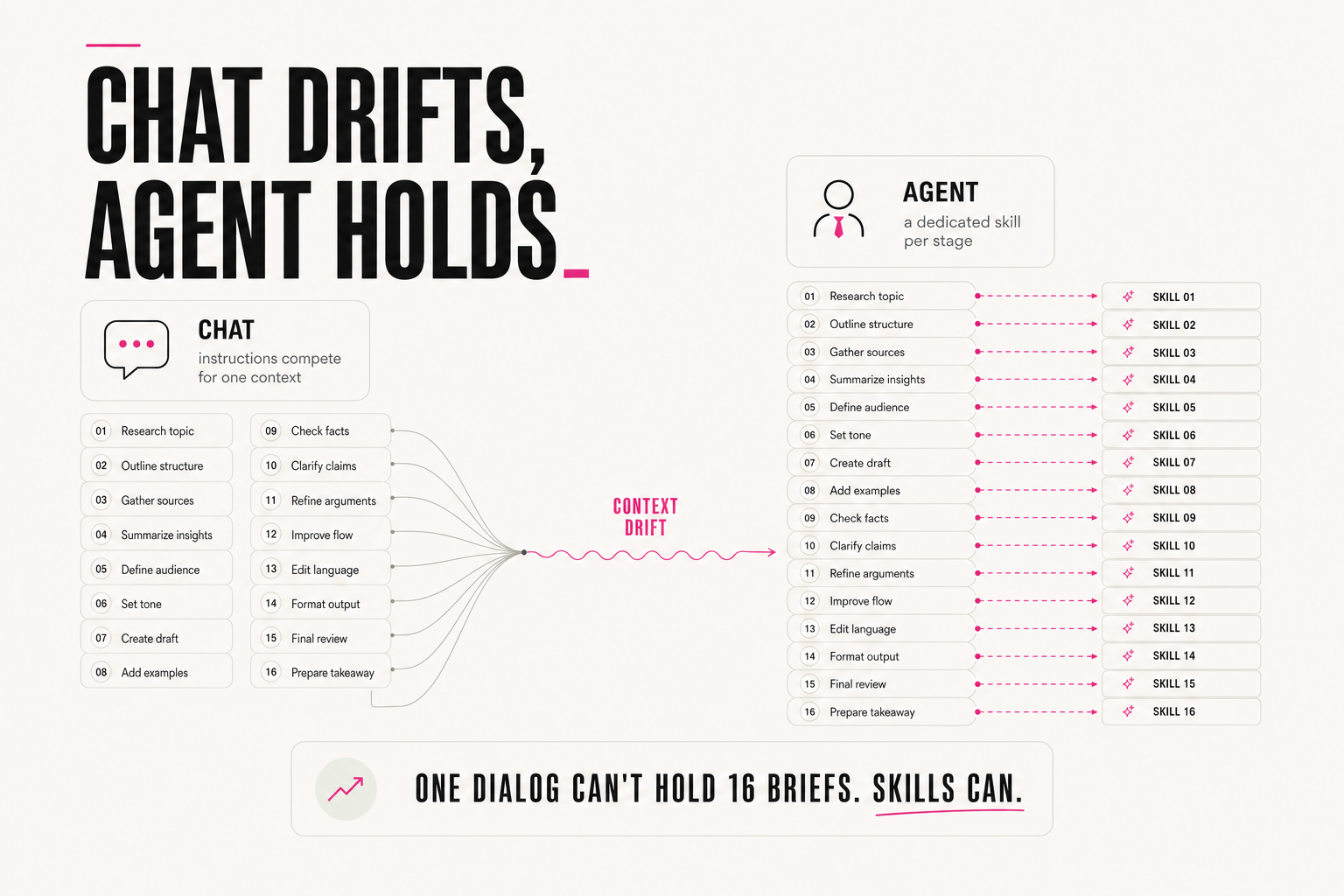
A simple test. Try getting not 3 pieces of content from a regular chat, but 16. For three different platforms. Inside: reels in four formats, posts of different lengths, a standalone article, threads. In your voice, with your examples, with your quality criteria for each format.
Pieces 1–4 hold the voice. By piece 8 the model forgets the reel criteria and confuses them with the post criteria. By piece 12 the tone drifts to the average. You fix each by hand — it would've been cheaper to write it yourself.
Each format calls its own instruction from scratch. Piece 16 holds the criteria as precisely as piece 1 — because it doesn't "remember from history," it re-reads them.
It's not that the model is weak — one dialog physically can't hold dozens of different instructions equally well: they start competing for the same context. An agent can. Here are the three mechanisms that make the difference.
02 — Skills
Difference 1: a separate instruction per stage
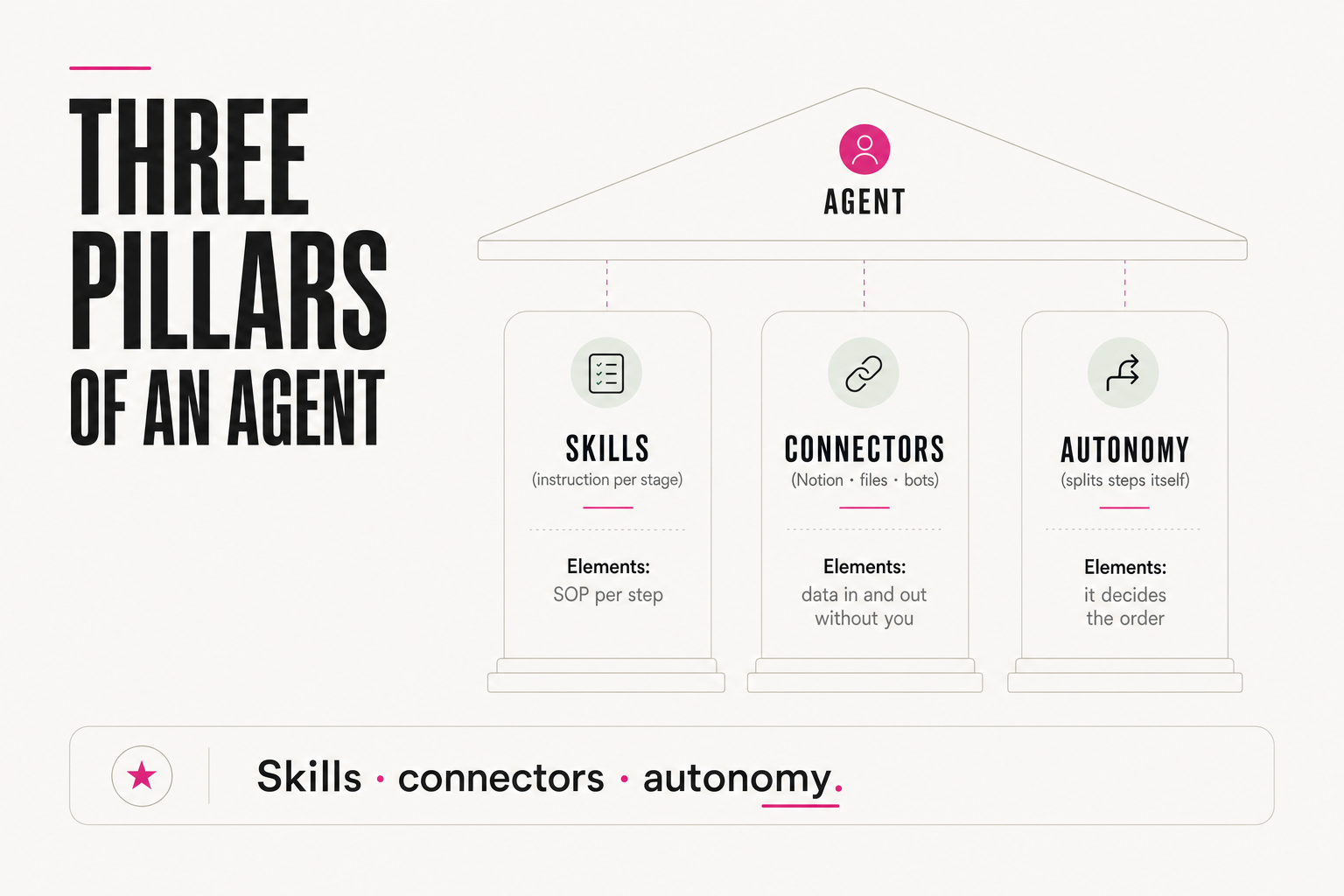
In a regular dialog you have one prompt for everything. For each stage of a task, an agent calls a separate skill — its own instruction with all the files, examples, criteria and nuances for exactly that step.
SKILL: "write a reel"
INPUT: topic, length (15/30/60 sec), platform
CONTEXT: brand voice (voice.md file), 3 examples of reels that landed
CRITERIA FOR "GOOD": a hook in the first 1.5 sec, 1 idea for the
  whole clip, an explicit call to action at the end
NEVER: open with "Hey, today I'll talk about"
OUTPUT: a second-by-second script + on-screen text overlays
Writing a reel is one such skill. Writing an article is another, with its own criteria (fact density, paragraph length). Laying out a post is a third. Every stage gets done well even when there are dozens of them: the instructions don't compete for one context — they load exactly when needed.
03 — Connectors
Difference 2: access to the outside world
A regular chat lives inside itself: it works with what you paste in, and you carry its output onward yourself. An agent has access to the outside world: it pulls data from Notion, a Telegram bot, files — and sends the result back where it belongs, without you.
Open Notion → copy the brief → paste into the chat → get the text → copy it → paste into the Telegram bot → manually mark the status in Notion. 6 manual actions for one piece of content.
The agent reads the brief from Notion itself, writes the text, publishes through the bot, marks the status done. Your action: one — look at the result.
The task stops being "generate → copy → paste → forward" and becomes "assign → receive it finished, where it should live." There will be more and more connectors — this is only the beginning, but already it kills the dullest part of the work: carrying things back and forth.
04 — Autonomy
Difference 3: the agent decides how to reach the goal
An agent decides for itself how to split the task into steps, which tools to call, at what moment and in what order. It doesn't wait for your command at every step — here's what that looks like on a real task, "prepare the weekly client report":
Goal: weekly report for client X
1. Agent decided on its own: pull numbers from Google Sheets first
   (connector)
2. Decided: compare to last week, compute the delta
3. Decided: if delta <5% — don't highlight it; if >20% — put it
   in the first paragraph
4. Decided: assemble into the report template, save to Docs
5. Stop condition triggered: delta -35% → paused and asked you
   before sending, instead of sending automatically
A regular chat is a clever assistant that needs you at every stage. An agent is an employee you gave a task to and went to have breakfast.— Anjela Petkova
With a chat you conduct: you correct, remind it of prompt details, steer it so it doesn't wander off. With an agent you set the outcome, the criteria and the stop conditions — and you review the finished work or answer one specific question, instead of running the whole process.
05 — Honestly
When is a chat enough — and no agent needed?
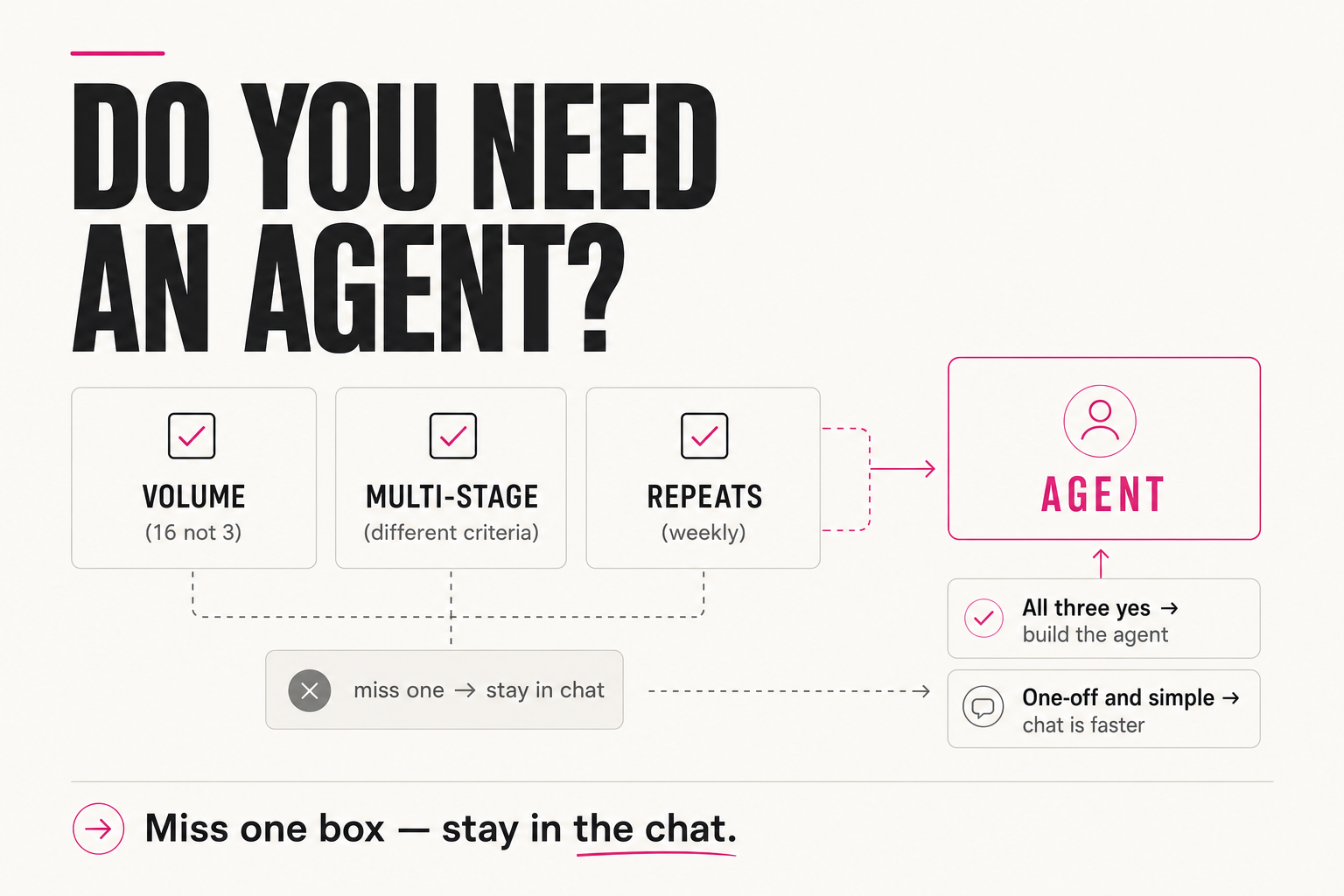
An honest counterweight: an agent isn't always the right answer. Setup costs time, and for a simple task it doesn't pay back. Here's the scoring to decide by:
Score yourself 1 point for each "yes":
[ ] More than 5 output pieces at a time (not 1–3)
[ ] Steps have different instructions and criteria (not one prompt)
[ ] The task returns at least once a week
[ ] Data needs to move between 2+ tools
[ ] An error in the process is expensive to find and fix

0–1 point  → chat; an agent won't pay back
2–3 points → build a project with standing context (next step)
4–5 points → build an agent; setup pays back in 2–3 weeks
One-off and simple — into the chat. Voluminous, multi-stage, repeatable — to the agent. Same principle as with your first workflow: don't build an empire where one dialog is enough.
06 — Where to start
How do you move from chat to agent without pain?
1. Chat: one task, one prompt (you conduct)
2. Project: standing context + examples (voice no longer re-explained)
3. Skills: an instruction per format (reel / post / article)
4. Connectors: data gets pulled and delivered by itself
5. Agent: goal + criteria + stop condition → finished result
A sign it's time for the next rung: you've copy-pasted the same intro into a prompt three times this week — that's not a one-off task anymore, it's a project candidate. You notice one format's criteria bleeding into another's — time to split into skills.
An agent isn't a "smarter chat" — it's a different construction: skills per stage, connectors to the outside world, autonomy over steps and stop conditions. Run the five-point checklist — it'll show you which rung of the ladder you're actually standing on.
FAQ
Why can't I just give a chat one very long prompt for everything?
Because dozens of instructions compete for one context: at a volume of 16 pieces for three platforms, the context already drifts by piece 8, and by piece 12 the tone settles into the average. An agent solves this with skills — a separate instruction with examples and criteria per stage, loaded fresh each time rather than "remembered" from dialog history.
What are an agent's skills?
Separate instructions for a specific stage of the task: their own files, examples, criteria and nuances — for example, a "write a reel" skill sets its own length, a hook in the first 1.5 seconds, and banned opening phrases. Writing an article is a different skill with different criteria. Each stage runs on its own SOP instead of one general prompt.
Why does an agent need connectors?
To remove manual carrying: without them, one piece of content takes 6 manual actions (open Notion, copy, paste, copy back, paste into the bot, mark the status). With connectors it's one action — looking at the finished result.
When is an agent unnecessary?
Run the five-point checklist (volume, differing step criteria, regularity, cross-tool data transfer, cost of an error). 0–1 points means a chat is faster and cheaper than setup; 4–5 points means an agent pays back within 2–3 weeks.